MIGAL.CO Sensorbox – welding data you can use
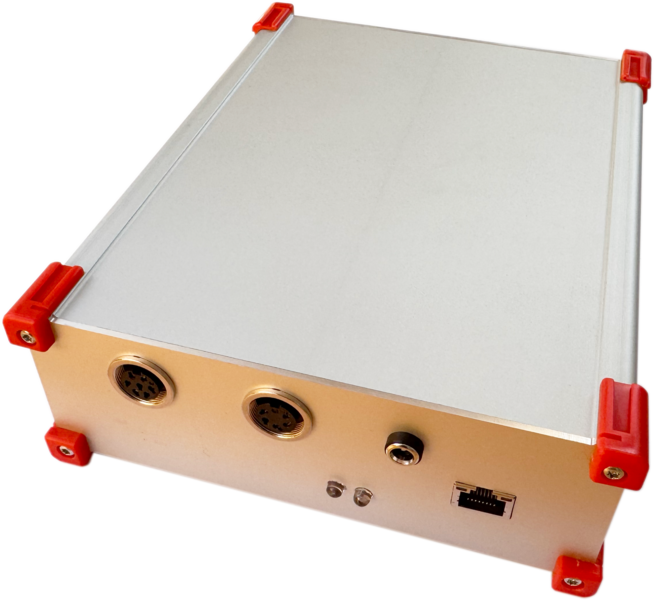
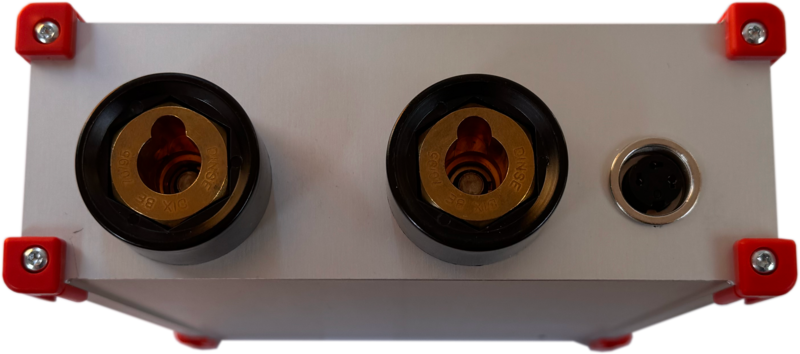
The MIGAL.CO Sensorbox measures what really happens in the arc: welding current, arc voltage, wire feed speed and shielding gas flow – synchronously, 5,000 times per second, on any MIG/MAG or TIG welding machine regardless of brand. It evaluates the data directly on the device and makes it available via a browser, industrial interfaces and our software.
- Four process signals, one time base – current and voltage, plus wire feed and gas flow with the optional sensors, in a common, NTP-synchronised time frame
- Works stand-alone – built-in web dashboard, microSD recording, no PC, no cloud required
- Open interfaces – MQTT, OPC UA, Modbus TCP, REST and a high-speed UDP raw data stream
- AI quality monitoring on the device – teach-in of good parts, traffic-light assessment of every seam
- Brand-independent retrofit – connects to the welding circuit; optional sensors for the wire feeder and the gas line
Choose your application
All three views describe the same box – the hardware and firmware are identical, only the software around it differs.
Production & quality
Know how every machine is welding – and prove it
You don't need to be a welding physicist to use the Sensorbox. Connect it, open the browser and you see what your machines are doing. With RoboCenter, all Sensorboxes and welding machines in your plant come together on one screen, with history and reports for audits and customers.
Transparency instead of gut feeling
Current, voltage, wire feed and gas flow of every machine – live and as history. Deviations become visible before they become scrap.
Proof for every part
Each measurement is time-stamped and can be assigned to a job, part or seam. Ideal for quality documentation, audits and customer complaints.
Catch gas and wire problems early
Too little shielding gas, a slipping wire feed or a worn contact tip show up in the data – long before the weld seam shows them.
Works with your existing machines
Brand-independent retrofit: the Sensorbox measures directly in the welding circuit. No intervention in the power source is needed.
No IT project
The box runs stand-alone with its own web dashboard. Data stays in your network – no cloud, no subscription required.
Consumption at a glance
Arc time, energy, wire and gas consumption per machine and shift – the basis for costing and efficiency.
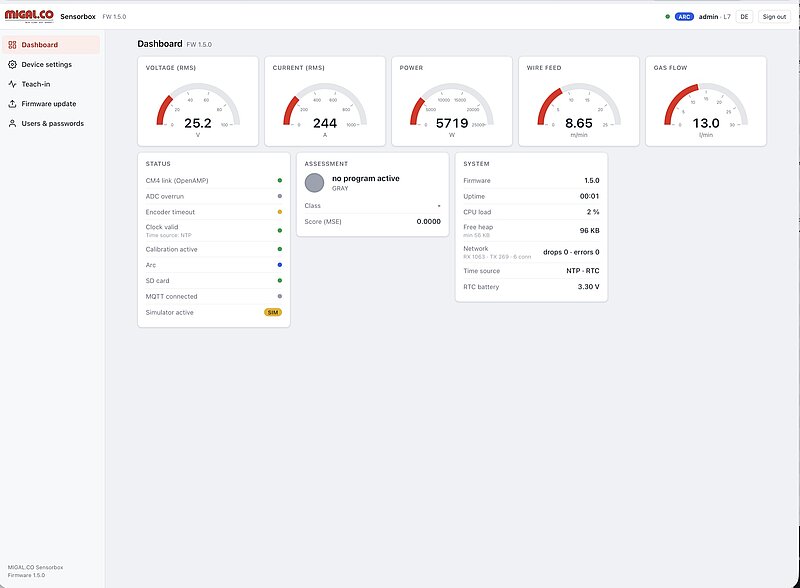
At the machine: the built-in web dashboard
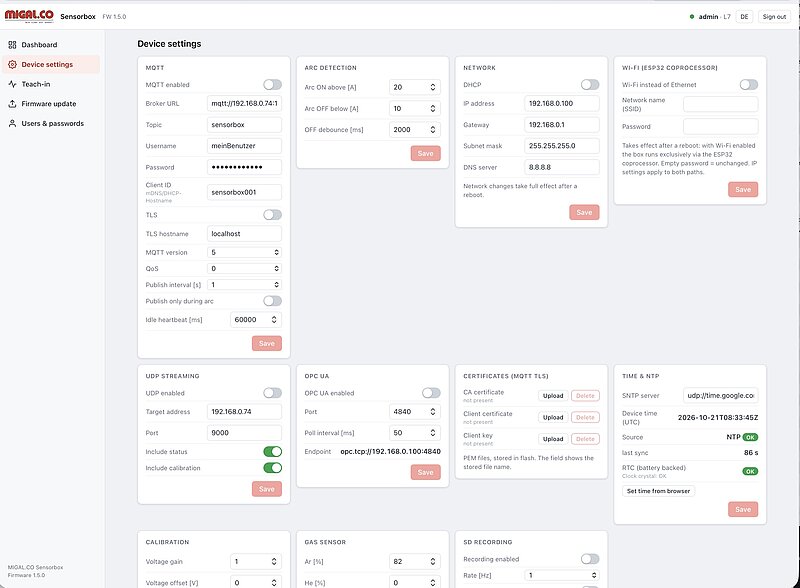
Every Sensorbox has its own web interface – just open the box's address in a browser on a PC, tablet or smartphone. No software installation is needed.
- Live view of voltage, current, power, wire feed and gas flow, plus a status panel that shows at a glance whether everything is OK
- Arc detection – the box knows when welding takes place and records only what matters
- Local recording to microSD card (CSV, opens directly in Excel), one file per day or per session – even without a network
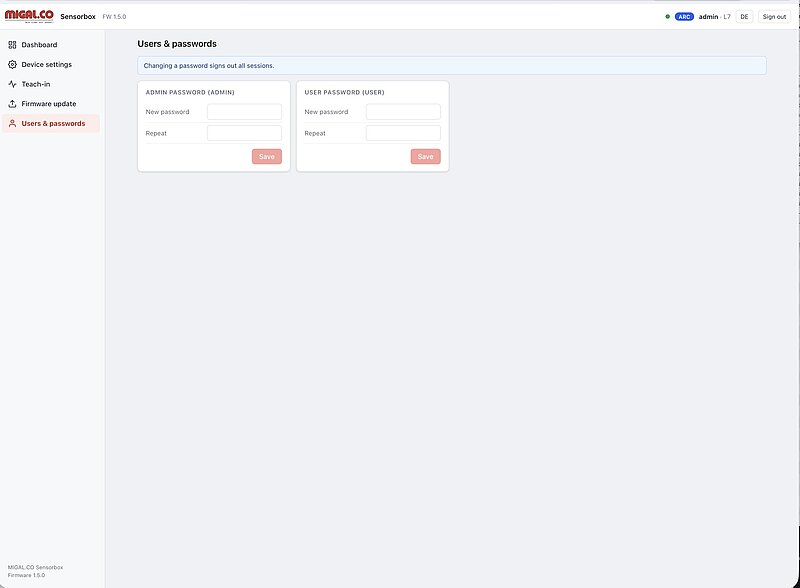
- User management with administrator and user roles
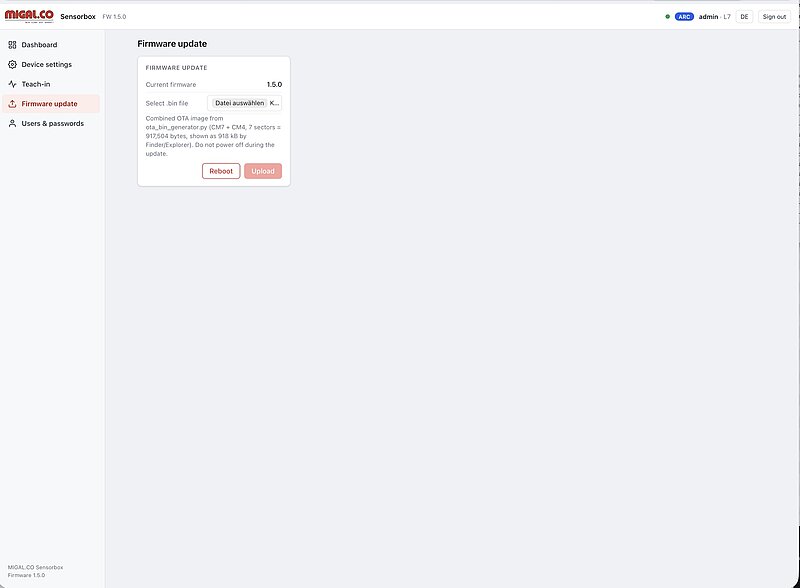
- Firmware updates via the browser – new functions without a service visit
- Interface in English and German
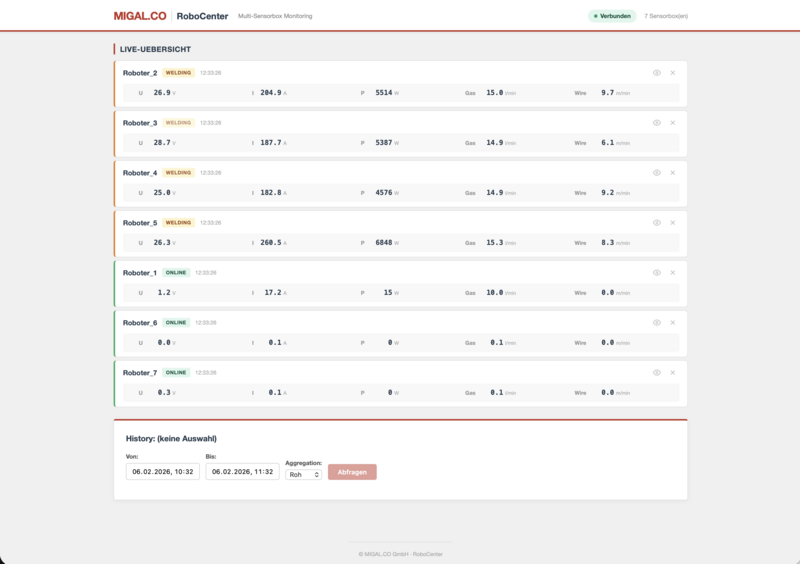
For the whole shop floor: RoboCenter
RoboCenter brings all Sensorboxes – and directly connected Fronius TPS/i welding machines – together in one browser application on your own server.
- All machines on one screen: online, idle or welding, with live values
- History over days, weeks and months, stored in a time-series database
- Quality traffic light per machine and job based on learned reference behaviour
- PDF reports for audits and customers: welding time, energy, wire and gas consumption
- Runs on-premises on your own server – your data stays in your plant
Up and running in four steps
- MountPlace the Sensorbox near the welding machine, supply via 12 V power supply or PoE.
- ConnectConnect the current cables into the welding circuit, voltage sensing at torch and workpiece, optionally wire and gas sensors.
- NetworkPlug in the Ethernet cable and open the box's address in the browser.
- MonitorWatch live values, switch on SD recording – or connect the box to RoboCenter, MES or PLC.
Would you like to see it on your production line? We will gladly bring a Sensorbox to your welding cell and show you live what your process looks like.
Want more than monitoring? Find out how the Sensorbox detects anomalies with AI.
Quality assurance with AI
The box learns what a good weld looks like
An experienced welder hears when the arc sounds wrong. The Sensorbox does the same – for every seam, on every shift. You show it a few good parts; it learns the normal behaviour and from then on reports every part that deviates. Everything runs on the box itself: no PC, no AI server, no cloud.
How it works
- Weld good partsWeld at least eight known-good parts. The box recognises parts and seams automatically from the arc.
- LearnFor every seam the box learns a reference from 305 key figures per quarter second – including the natural spread.
- MonitorEvery following part is compared with the reference. Result per seam and per part: green, yellow or red.
- ExplainPlain-language indicators show what is different: voltage, current, short circuits, frequency pattern, U/I interplay.
- ImproveThe operator confirms or rejects alarms. False alarms make the model more tolerant – real defects never do.
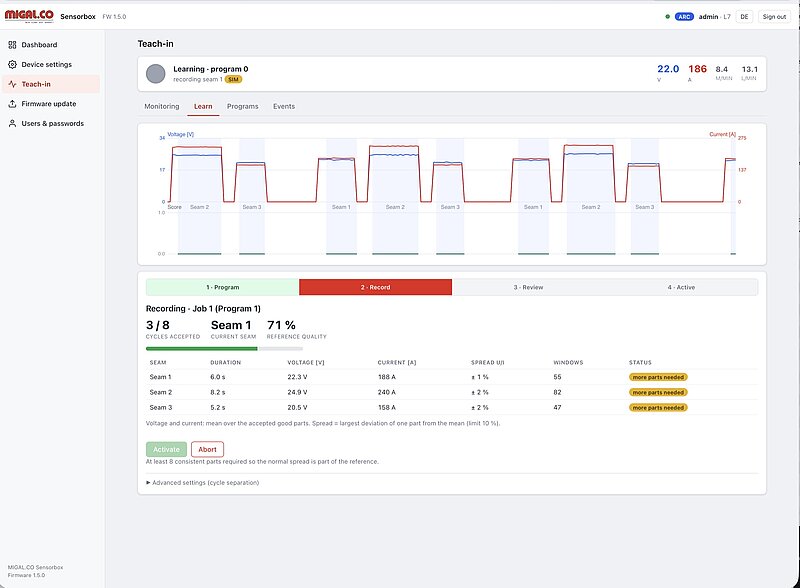
Teach-in directly on the Sensorbox
The teach-in is part of the Sensorbox firmware and is operated entirely via the browser. It is designed for robot cells and series production with recurring parts.
- Automatic part and seam detection from the arc signal – no extra signals from the robot needed
- One program per part type, selected via job number from the robot controller or PLC (MQTT/REST)
- Traffic light per seam and per part; a part is also rejected if a seam is missing or an extra seam occurs
- Five plain-language indicators per seam and the deviation from the reference in percent for voltage, current and short-circuit frequency
- Trend warning when the process slowly drifts, e.g. due to contact tip wear
- Event list with operator feedback (OK/NOK); the model is only updated after a regression test against the reference
- Results in the dashboard, via MQTT, OPC UA and Modbus TCP – and stored on the SD card
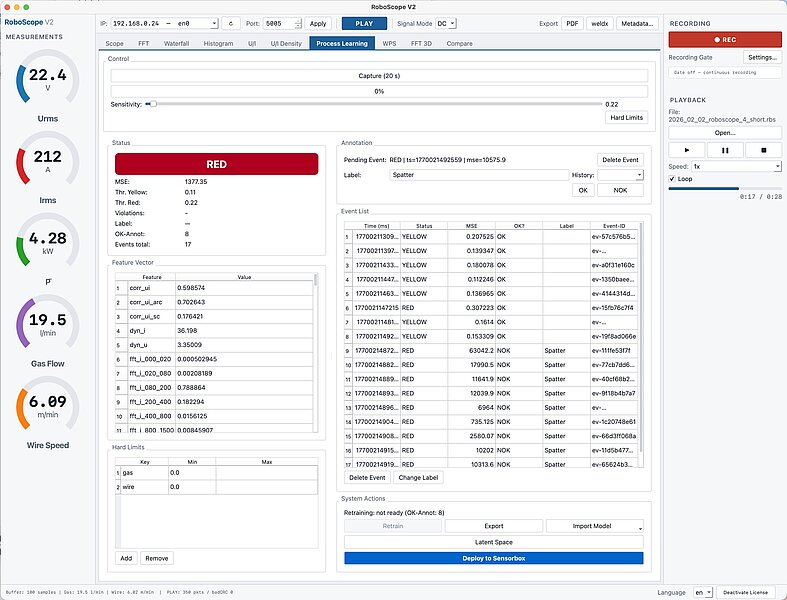
Process learning in RoboScope
For long or very frequently repeated seams – e.g. longitudinal seams on rails or circumferential seams on tanks – the model can also be trained on the PC with RoboScope:
- Autoencoder model trained from a 20-second recording of the good process
- Sensitivity slider and additional hard limits per feature (e.g. minimum gas flow)
- Annotation of events as OK/NOK and with defect labels such as "spatter" or "gas loss" – the model learns to name known defects
- Latent space view to see how the model separates good and bad states
- Deploy to Sensorbox with one click – the box then monitors autonomously
Which approach suits you?
| Teach-in on the Sensorbox | Process learning in RoboScope | |
|---|---|---|
| Typical use | Robot cells, series parts with several seams | Long or highly repetitive seams, laboratory, process development |
| Where is it learned? | On the box, operated via browser | On the PC, then transferred to the box |
| What is needed? | At least 8 good parts | 20 s recording of the good process |
| Model | Statistical reference per seam (305 features); autoencoder neural network in preparation | Autoencoder neural network, optional defect classes |
| Result | Traffic light per seam and part, plain-language indicators, trend warning | Traffic light with anomaly score, named defect classes after annotation |
| In operation | Runs autonomously on the Sensorbox – no PC, no cloud. Results via dashboard, MQTT, OPC UA, Modbus TCP. | |
What the signal can tell – and what it can't
We prefer to be honest: the electrical signals show whether the process ran differently. Only an inspection shows whether there is a defect in the weld metal. Based on literature from 2001 to 2025 and our own tests:
Reliably detectable
- Shielding gas loss or insufficient gas
- Wire feed problems, wire jamming
- Wrong contact tube distance, worn contact tip (trend)
- Spatter and arc interruptions
- Gap or misalignment, burn-through
- Wrong heat input, missing or additional seams
- Indirectly: porosity caused by gas loss, lack of penetration
Not detectable from the signal
- Hot and cold cracks
- Undercut
- Slag inclusions
- Lack of sidewall fusion
- Defects that do not change the arc behaviour
The Sensorbox reports that a seam is different and which process variable deviates. Naming the defect type requires annotated examples (RoboScope).
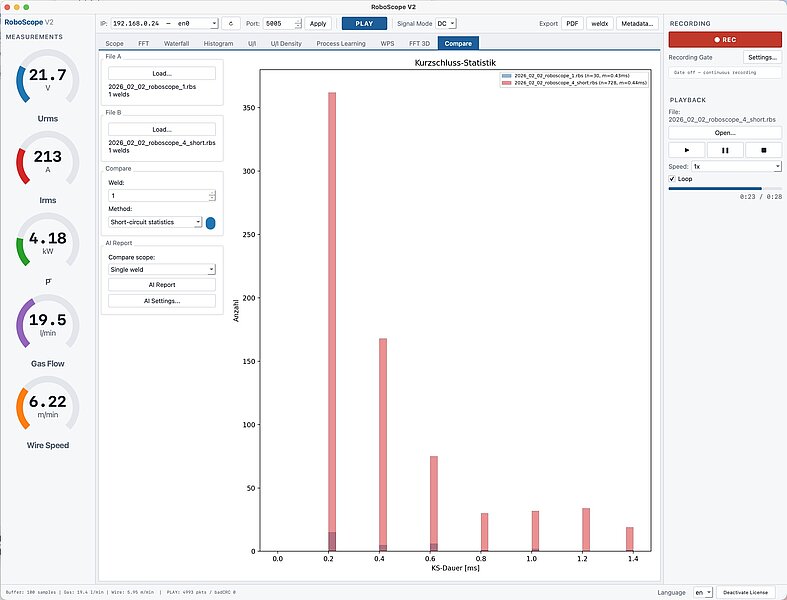
Compare two processes – with an AI findings report
The Compare tab in RoboScope answers the question "what has actually changed?" in seconds: load two recordings, choose one of ten comparison methods (e.g. droplet frequency, short-circuit statistics, arc impedance, U/I phase plot, Poincaré plot, wire feed variability) and generate a plain-language report.
RoboScope extracts more than 20 physical metrics per recording, comments on every method, ranks the methods by significance and lists only deviations that are physically relevant – without speculation about causes. Typical uses: WPS validation, robot-to-robot comparison, wire batch change, shift comparison and complaint analysis.
Sample: AI comparison report (PDF)
 AI comparison report – English sample (12 pages)Two welds compared with ten methods: AI commentary per method, key metrics, significance ranking2 MB
0 clicks in operation
Select the job number, read the traffic light. The box decides for every seam in real time.
Data stays in your plant
Learning and assessment run locally on the box. No cloud, no external AI service.
Explains instead of just alarming
Five plain-language indicators show which process variable deviates – a starting point for the root cause.
Gets better with use
A few minutes of feedback per shift reduce false alarms – real defects never widen the tolerance.
AI monitoring is introduced together with you. We select suitable seams, carry out the teach-in at your machine, connect the job numbers of your robot controller, PLC or MES and validate the results in live production.
Contact us – we will clarify together what AI monitoring can achieve for your parts.
Research & development
Raw data, open protocols, full transparency
For welding laboratories, universities and process developers, the Sensorbox is an open measuring instrument: synchronous 5 kHz raw data of current and voltage, documented protocols, calibration data in every packet – and RoboScope for analysis, recording and export to open formats.
Measuring principle
Inside, an STM32H7 dual-core microcontroller works with a clear division of tasks: the Cortex-M4 handles the time-critical measurement, the Cortex-M7 takes care of feature calculation, protocols, web server and the AI models. Both cores exchange data via OpenAMP/RPMsg – so the measurement stays deterministic even under network load.
- Current and voltage are sampled simultaneously at 5 kHz per channel with 16-bit resolution and 16× hardware oversampling (DMA, frames of 256 samples ≈ 51 ms)
- Current via a galvanically isolated shunt sensor (2.5 mV/A) and differential amplifier – ±500 A continuous, peaks up to ±1,000 A
- Voltage via a differential input stage, range ±100 V, protected by varistor and TVS diodes
- Low-noise analogue supply with isolated DC/DC converters and ultra-low-noise linear regulators, precision voltage reference
- Wire feed via encoder, gas flow via thermal mass flow sensor with correction factor for any mixture of Ar, He, CO₂, O₂ and N₂
- Calibratable: zero point, gain and encoder wheel circumference; calibration parameters are transmitted in every data packet
Calculated values
Effective values and active power are calculated per time window from the raw samples. The active power is calculated sample by sample as the mean of u·i – the only correct method for non-sinusoidal welding signals (cf. ISO/TR 18491).
RMS-Voltage:
\[ U_{\mathrm{RMS}}=\sqrt{\frac{1}{N}\sum_{k=0}^{N-1} u[k]^2} \]
RMS-Current:
\[ I_{\mathrm{RMS}}=\sqrt{\frac{1}{N}\sum_{k=0}^{N-1} i[k]^2} \]
Mean Active Power:
\[ P=\frac{1}{N}\sum_{k=0}^{N-1}\big(u[k]\cdot i[k]\big) \]
305 key figures per quarter second
At 5 kHz, a single machine produces about 72 MB of raw data per hour. For monitoring and AI, the Sensorbox translates each 256 ms window into 305 physically meaningful features – about 20 MB per day:
| Group | Features |
|---|---|
| Basic values & dynamics | RMS, mean, power, rate of change of U and I |
| Distribution | Standard deviation, skewness, kurtosis, percentiles |
| Spectrum | Band energies of current and voltage from 0 to 1,500 Hz |
| Short circuits & arc | Short-circuit share, frequency and duration, arc statistics, arc impedance |
| U/I coupling | Correlation of U and I, voltage histogram, 16 × 16 U/I density raster |
The feature set is identical in the Sensorbox and in RoboScope – models trained on the PC run unchanged on the box.
Interfaces and protocols
| Interface | Content | Typical use |
|---|---|---|
| UDP raw data stream | Approx. 20 packets per second, each with 256 U/I samples, time stamp, sequence number, status and calibration header | Oscilloscope, spectral analysis, own analysis software |
| MQTT 3.1.1 (TLS) | JSON telemetry 0.1–5 s, arc-triggered mode, events, status; job numbers can be received | Databases (e.g. InfluxDB), RoboCenter, Node-RED |
| OPC UA | Current, voltage, power, gas flow, wire speed (ns=1) | SCADA, MES, IIoT platforms |
| Modbus TCP | Holding registers from 1000 (port 502) | PLC connection |
| REST / WebSocket | Configuration, live values, teach-in, part end signal | Integration into own applications |
| microSD / USB | CSV or RoboScope raw data (RBS), readable as USB mass storage | Long-term recording, field use without network |
Time base: SNTP/NTP with battery-backed real-time clock; diagnostic flags (ADC overrun, encoder timeout, NTP sync, core link) are part of every data packet.
MQTT-Message
The Sensorbox transmits its measurement and status data in a compact JSON (JavaScript Object Notation) format. Each message corresponds to a temporally uniquely assignable snapshot of the welding process and contains both process key figures and system states and firmware versions.
Time & Sequence
→ Used for synchronization with other systems (InfluxDB, dashboard, RoboScope, MES).
→ Allows detection of dropouts, packet loss, or gaps in the recording.
Electrical Key Figures
→ These quantities enable load/energy analysis, process stability assessment, and comparison of jobs/parameters.
Wire & Gas
→ Basis for process monitoring (e.g. insufficient feed, wire jamming, defect detection).
→ Already corrected in the Sensorbox so that the user directly receives a practically relevant value.
→ Transparency on how much raw values have been adjusted due to calibration/environmental influence.
Status Object (Health & Diagnostics)
Under status, important diagnostic flags are provided as booleans:
→ This enables remote diagnostics without the user needing direct access to the hardware.
Firmware Versions (Traceability)
Example:
{
  "ts": "2026-01-21T10:15:23.123Z",
  "seq": 4711,
  "u_rms": 23.45,
  "i_rms": 156.78,
  "p_rms": 3680.2,
  "wire_m_min": 8.50,
  "gas_l_min": 12.30,
  "gas_cf": 1.07,
  "status": {
    "openamp_ok": true,
    "adc_overrun": false,
    "encoder_timeout": false,
    "ntp_synced": true
  },
  "fw": {
    "m7": "1.0.3",
    "m4": "1.0.3"
  }
}
UDP High-Speed Stream (Raw Data Packet)
For high-resolution analysis (oscilloscope view, histograms, event detection), the Sensorbox additionally sends a binary/CSV-like UDP data stream alongside the JSON telemetry. Each UDP packet contains a header with metadatafollowed by a block of ADC raw samples for voltage and current.
1) Packet Header (Metadata)
→ This allows the receiver to reliably identify data as a "Sensorbox frame" and discard erroneous or foreign packets.
Timestamp in milliseconds.
→ Enables time-correct display (e.g. live trace), logging, and synchronization with other sources.
Sequential sequence number.
→ Packet losses or ordering errors (UDP!) become immediately visible.
Number of samples per channel in this packet.
→ A packet is a "data block" (frame) with a precisely defined scope.
Current gas flow rate (l/min) as meta-information for the sample block.
→ Practical for directly correlating oscilloscope data with process parameters.
Wire feed speed (m/min) at the same point in time.
→ Can be 0 if the wire is stationary or an encoder/signal problem exists.
Bitmask for system states/error flags (e.g. ADC overrun, encoder timeout, OpenAMP OK, NTP sync).
→ Diagnostics without extra queries – each packet carries its health status.
Calibration/conversion parameters.
→ This allows the receiver to convert raw data to physical quantities (or deliberately store raw data and reconstruct later with the same parameters).
2) Sample Data (Payload)
After the header, a table/sequence follows:
→ From this, the receiver can:
- Generate oscilloscope traces (u(t), i(t))
- Calculate RMS/power/arc stability
- Detect peaks, short circuits, spatter events
- Create histograms/distributions (e.g. current distribution per job)
Why UDP?
UDP is ideal for live streaming large data volumes:
- Very low latency
- Low protocol overhead
- "Best effort" (packet loss possible) → therefore: seq in header
For robust storage/backfill, the "slow" telemetry channels (e.g. JSON via MQTT/HTTP) are usually used in parallel, while UDP serves for real-time viewing (RoboScope).
Example Python code for outputting the UDP stream in the terminal (call e.g. with python3 udp_dump.py 9000):
#!/usr/bin/env python3
import argparse
import socket
import struct
import math
MAGIC_OSCI = 0x3143534F  # "OSCI"
FLAG_STATUS = 0x0001
FLAG_CAL    = 0x0002
BASE_HDR_FMT = "<IHHII"              # magic, header_len, flags, seq, sample_cnt
BASE_HDR_LEN = struct.calcsize(BASE_HDR_FMT)  # 16
def parse_packet(buf: bytes):
    if len(buf) < BASE_HDR_LEN:
        return None
    magic, header_len, flags, seq, sample_cnt = struct.unpack_from(BASE_HDR_FMT, buf, 0)
    if magic != MAGIC_OSCI:
        return None
    # Minimaler Header: base + ts + meta
    if header_len < (BASE_HDR_LEN + 8 + 8) or header_len > len(buf):
        return None
    off = BASE_HDR_LEN
    ts_ms, = struct.unpack_from("<Q", buf, off)
    off += 8
    gas_l_min, wire_m_min = struct.unpack_from("<ff", buf, off)
    off += 8
    status = None
    if flags & FLAG_STATUS:
        if off + 4 > header_len:
            return None
        status, = struct.unpack_from("<I", buf, off)
        off += 4
    # Default Cal (falls nicht mitgesendet)
    u_gain = 1.0
    u_offset = 0.0
    i_gain = 1.0
    i_offset = 0.0
    if flags & FLAG_CAL:
        if off + 16 > header_len:
            return None
        u_gain, u_offset, i_gain, i_offset = struct.unpack_from("<ffff", buf, off)
        off += 16
    # Payload beginnt bei header_len
    payload_off = header_len
    payload_bytes = len(buf) - payload_off
    available_samples = min(sample_cnt, payload_bytes // 4)
    return {
        "ts_ms": ts_ms,
        "seq": seq,
        "sample_cnt": sample_cnt,
        "available_samples": available_samples,
        "gas_l_min": gas_l_min,
        "wire_m_min": wire_m_min,
        "flags": flags,
        "status": status,
        "u_gain": u_gain,
        "u_offset": u_offset,
        "i_gain": i_gain,
        "i_offset": i_offset,
        "payload_off": payload_off,
    }
def main():
    ap = argparse.ArgumentParser(description="Simple UDP dump for MIGAL.CO Sensorbox OSCI stream")
    ap.add_argument("port", type=int, help="UDP port to listen on, e.g. 9000")
    ap.add_argument("--bind", default="0.0.0.0", help="Bind address (default: 0.0.0.0)")
    ap.add_argument("--n", type=int, default=16, help="How many samples to print (default: 16)")
    ap.add_argument("--rms", action="store_true", help="Compute simple U_rms/I_rms/P_mean from printed samples")
    args = ap.parse_args()
    sock = socket.socket(socket.AF_INET, socket.SOCK_DGRAM)
    sock.bind((args.bind, args.port))
    print(f"Listening on {args.bind}:{args.port} ... (Ctrl+C to stop)")
    while True:
        buf, addr = sock.recvfrom(65535)
        info = parse_packet(buf)
        if info is None:
            # Unbekanntes Paket – leise ignorieren oder kurz melden:
            continue
        ts_ms = info["ts_ms"]
        seq = info["seq"]
        sc = info["sample_cnt"]
        av = info["available_samples"]
        gas = info["gas_l_min"]
        wire = info["wire_m_min"]
        flags = info["flags"]
        status = info["status"]
        u_gain = info["u_gain"]
        u_offset = info["u_offset"]
        i_gain = info["i_gain"]
        i_offset = info["i_offset"]
        print("\n" + "-" * 80)
        print(f"from {addr[0]}:{addr[1]}  ts_ms={ts_ms}  seq={seq}  samples={sc}  (in packet: {av})")
        print(f"gas_l_min={gas:.3f}  wire_m_min={wire:.3f}  flags=0x{flags:04x}", end="")
        if status is not None:
            print(f"  status=0x{status:08x}")
        else:
            print()
        if (flags & FLAG_CAL) != 0:
            print(f"cal: u_gain={u_gain} u_offset={u_offset} i_gain={i_gain} i_offset={i_offset}")
        # Samples ausgeben
        nprint = min(args.n, av)
        off = info["payload_off"]
        u_vals = []
        i_vals = []
        for i in range(nprint):
            w, = struct.unpack_from("<I", buf, off)
            u_raw = w & 0xFFFF
            i_raw = (w >> 16) & 0xFFFF
            off += 4
            # physikalisch (falls Gain/Offset gesetzt)
            u = u_raw * u_gain + u_offset
            cur = i_raw * i_gain + i_offset
            u_vals.append(u)
            i_vals.append(cur)
            print(f"{i:4d}: u_raw={u_raw:5d} i_raw={i_raw:5d}   u={u:.3f}  i={cur:.3f}")
        if args.rms and nprint > 0:
            u2 = sum(x*x for x in u_vals) / nprint
            i2 = sum(x*x for x in i_vals) / nprint
            p  = sum(u_vals[j] * i_vals[j] for j in range(nprint)) / nprint
            print(f"-> U_rms={math.sqrt(u2):.3f}  I_rms={math.sqrt(i2):.3f}  P_mean={p:.3f}  (über {nprint} Samples)")
if __name__ == "__main__":
    main()
OPC UA Variable Nodes
The server exposes 5 read-only variables in namespace ns=1:
| Variable | NodeID | Type | Unit | Description |
|---|---|---|---|---|
| Current | ns=1;i=6001 | Double | A | Root mean square (RMS) |
| Voltage | ns=1;i=6002 | Double | V | Root mean square (RMS) |
| Power | ns=1;i=6003 | Double | W | Instantaneous power |
| Gas flow | ns=1;i=6004 | Double | l/min | Corrected volume flow |
| Wire speed | ns=1;i=6005 | Double | m/min | Encoder-based |
Modbus TCP (PLC connectivity)
Modbus TCP is a widely used industrial protocol for communication between programmable logic controllers (PLCs) and field devices. The Sensorbox provides an integrated Modbus TCP server that allows a PLC to read the key welding process parameters directly as Holding Registers.
This interface can be extended with writable registers, enabling a PLC or robot controller to actively transmit information to the Sensorbox – such as the current weld seam ID, job number, or program number. This enables complete traceability and quality documentation for every single weld seam.
This allows your robot controller to communicate with the Sensorbox in real time – the foundation for automated quality assurance in connected welding production.
Contact us – we will work with you to develop the right integration for your existing automation infrastructure.
RoboScope – analysis software for Windows and macOS
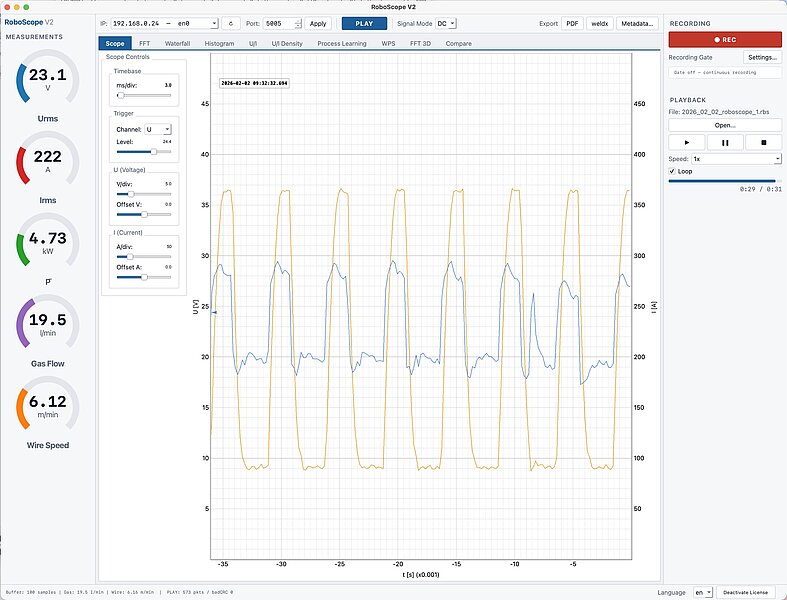
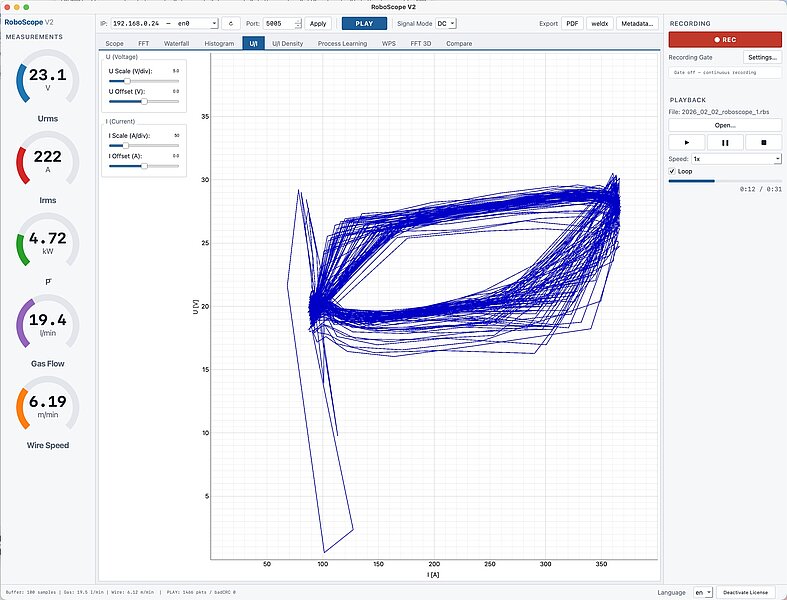
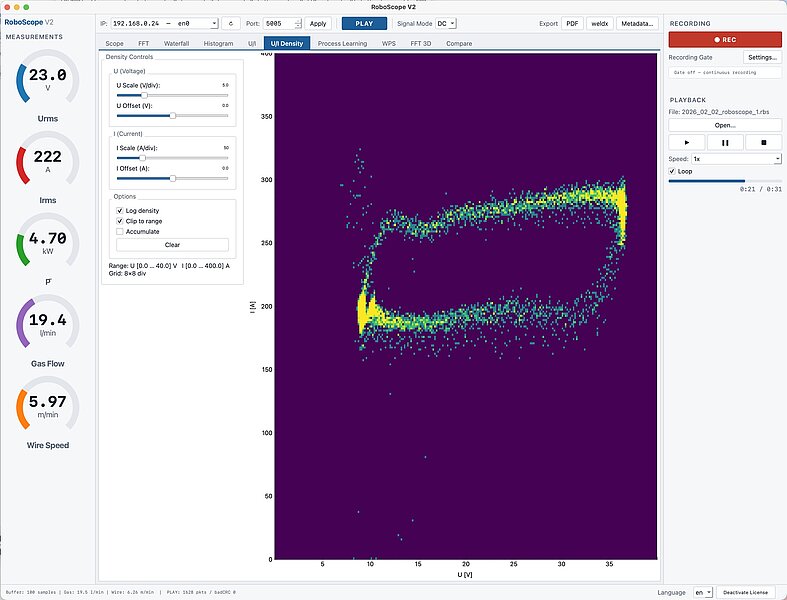
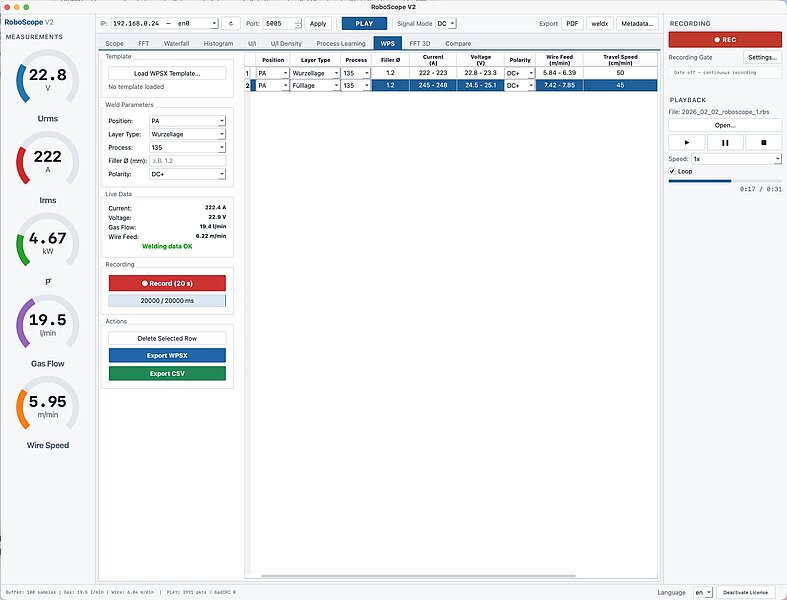
RoboScope receives the UDP raw data stream and turns signals into insight – live at the welding station or from recordings.
- Oscilloscope with trigger, time base 1–500 ms/div
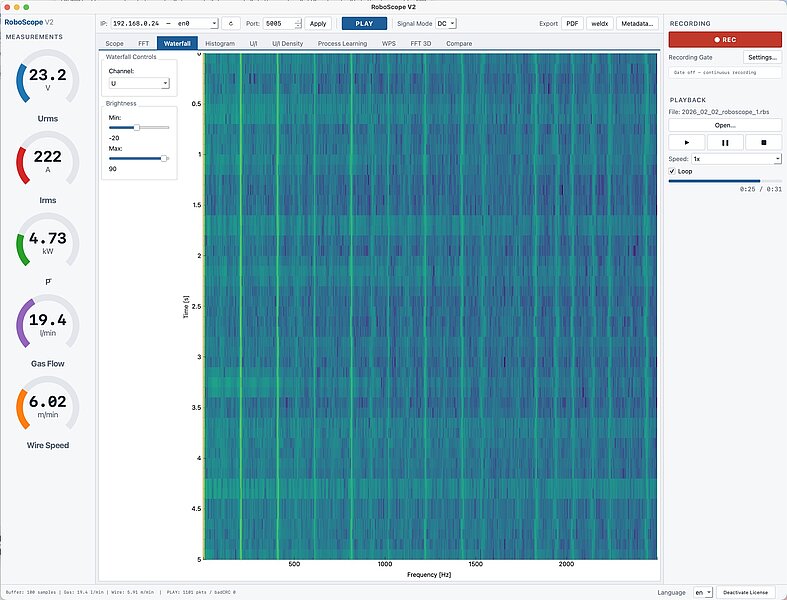
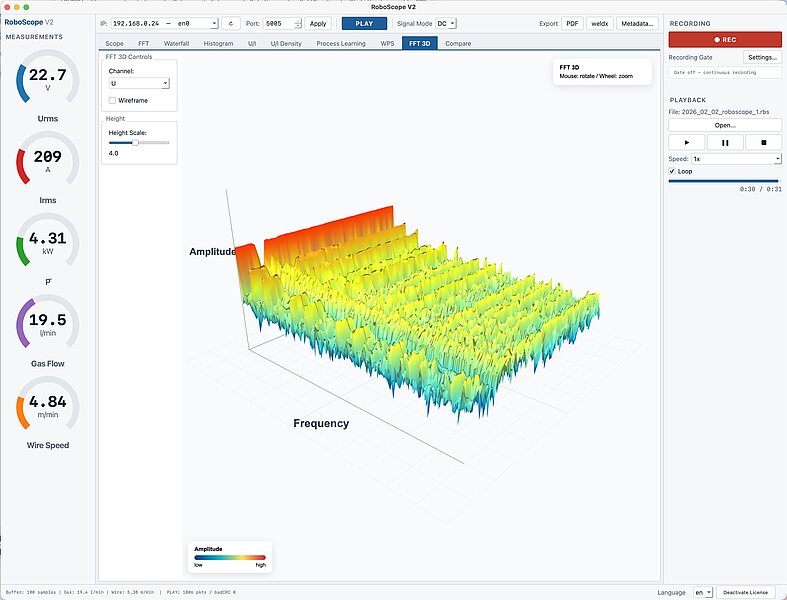
- FFT (4,096 points), waterfall diagram 0–2,500 Hz and 3D spectrum – find droplet frequencies, oscillations and disturbances
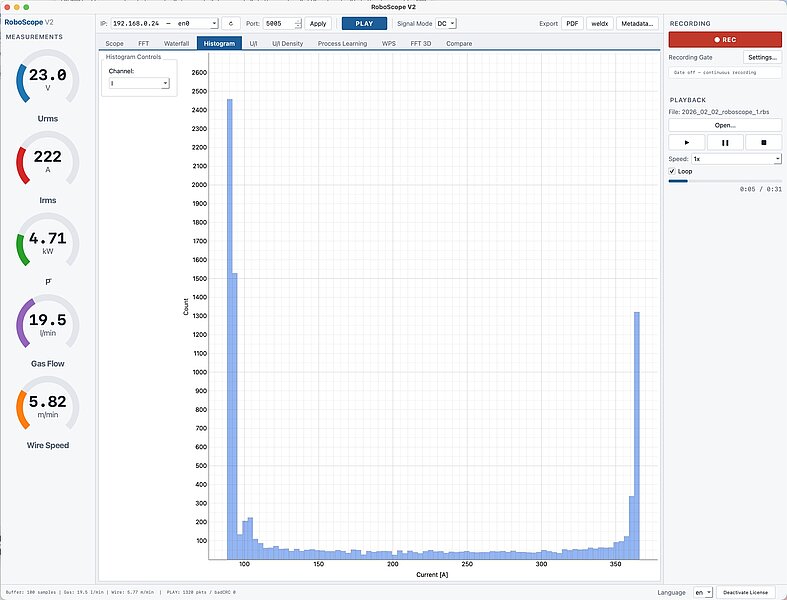
- Histogram, U/I characteristic and U/I density heat map – the electrical fingerprint of the process
- Compare two recordings with ten methods and an AI findings report
- Process learning: train, annotate and transfer AI models to the Sensorbox
- Recording & playback with recording gate (wire feed or current)
- Export to PDF, the open weldx research format and WPS-Maker 2 (.wpsx) incl. heat input

Technical data
| Measured variables | Welding current, arc voltage, wire feed speed, shielding gas flow (synchronous) |
| Sampling rate | 5 kHz per channel, U and I simultaneous, 16 bit with 16× oversampling |
| Voltage measurement | ±100 V (AC, DC), differential input |
| Current measurement | ±500 A continuous (AC, DC), peaks up to ±1,000 A, galvanically isolated shunt sensor |
| Accuracy U / I | ±1 % of reading ±0.2 V / ±1 % of reading ±0.5 A |
| Wire feed speed (optional wire sensor) | 0–20 m/min, encoder resolution 0.114 mm, 0.7 % at 10 m/min |
| Wire diameter range | 0.8–1.6 mm (larger on request) |
| Gas flow rate (optional gas flow sensor) | 0.5–50 l/min, ±3 % of full scale, correction for Ar/He/CO₂/O₂/N₂ mixtures |
| Processor | STM32H7 dual core (Cortex-M7 480 MHz + Cortex-M4 240 MHz) |
| Network | Ethernet 10/100 Mbit/s, static IP or DHCP; Wi-Fi module (ESP32-C6) on board, firmware support in preparation |
| Protocols | MQTT 3.1.1 with TLS, UDP raw data stream, OPC UA, Modbus TCP, REST/JSON, WebSocket |
| Data rate | MQTT: every 0.1–5 s; UDP: approx. 20 frames × 256 samples per second (= 5 kHz) |
| Web interface | Built in, browser-based, English/German, user roles, firmware update via browser |
| Local storage | microSD card (CSV or raw data), USB mass storage |
| Time base | SNTP/NTP, battery-backed real-time clock |
| Supply voltage | 9–12 V DC or PoE (adapter included) |
| Dimensions / weight | 200 × 160 × 60 mm (L × W × H) / 1.1 kg |
| Protection rating / ambient temperature | IP20 / 0–40 °C |
Scope of delivery
- Sensorbox with connectors for Ethernet, power supply and sensors; 12 V plug-in power supply and PoE adapter
- 3-pin cable connector for voltage measurement with 5 m twisted measurement cable
Optional
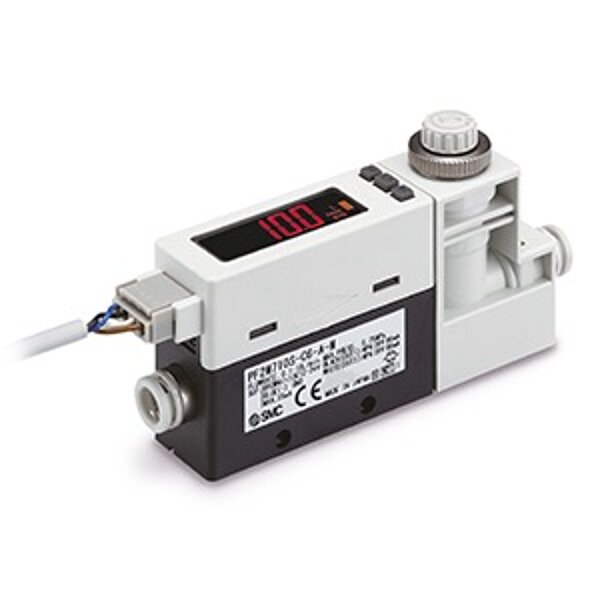
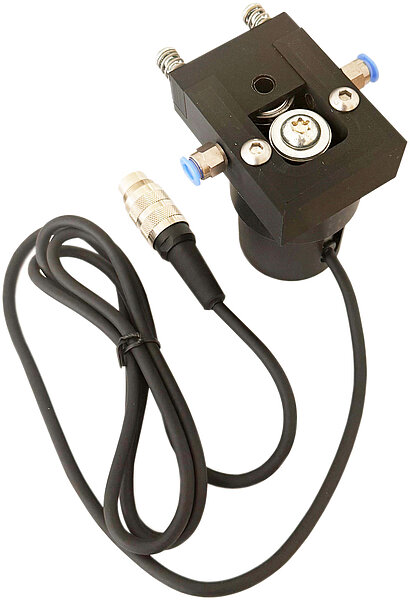
- Wire sensor (encoder) with 1.5 m cable and 5-pin connector
- Gas flow sensor with 2 m cable and 7-pin connector
- Software licences: RoboScope (Windows/macOS) and RoboCenter